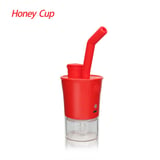
Waxmaid HoneyCup E-Rig Quartz Ball Vape with Auto-Heating
Waxmaid HoneyCup E-Rig Quartz Ball Vape with Auto-Heating- Color:
- Blue
Earn $5 Rolla Cash on this item with Rolla Club, free to join
- Ships in 1-2 daysFrom the US
- Free shippingOn orders $75+
- DiscreetPlain packaging
Product Details
The Waxmaid HoneyCup quartz ball e-rig delivers great flavor and big milky clouds thanks to auto-heating and a spiral air intake design. After turning the device on, wait about 20 seconds for it to heat up, then load your wax and double-click to engage the auto-heating function for those signature milky clouds.
The atomizer's special spiral air intake structure allows airflow to rotate after entering the atomizer. Combined with the spinning quartz balls inside the coil during inhalation, the HoneyCup fully vaporizes your wax for thorough, complete use.
- Three temperature settings: Green light 450–550°F, Blue light 550–650°F, Yellow light 650–750°F
- Two heating modes: hands-on (press and hold) and hands-free (double-click for automatic heating — our suggested method for milky clouds)
- Long-lasting battery: averages about 20 sessions on a full charge
- Quartz ball atomization for thorough vaporization
How to use your Waxmaid HoneyCup:
- Click the button five times quickly to turn the device on or off.
- Wait 20 seconds to pre-heat before adding your wax. The quartz ball rapidly spins within the coil during inhalation for complete use of your wax.
- Click the button three times quickly to switch temperature settings: Green [450–550°F], Blue [550–650°F], Yellow [650–750°F].
- Choose hands-on (press and hold) or hands-free (double-click to start automatic heating).
Battery and safety indicators:
- A red light indicates the battery is lower than 30%.
- When the battery is lower than 15%, the red light flashes 15 times and the device shuts off.
- The red light also flashes to indicate overheat protection.
Frequently Asked Questions
What smoking accessories do I need to get started?
Essential smoking accessories include a grinder to prep material, a lighter or torch, a cleaning kit, and storage containers to keep things fresh. From there, add pieces like rolling trays, screens, or filters based on your preferred method and setup.
How do you keep smoking accessories clean?
Keep smoking accessories clean by soaking glass and metal pieces in isopropyl alcohol with coarse salt, then rinsing with warm water and drying fully. Wiping down tools and trays after each use prevents residue buildup and keeps everything performing and tasting its best.
Where can I buy smoking accessories online?
You can buy smoking accessories online from specialty headshops that carry grinders, pipes, cleaning supplies, and hardware in one place. Smokerolla offers a full selection of smoking accessories with fast, discreet US shipping and a catalog spanning every category and price point.